



Teddyslot App
Using the Teddyslot app, you can easily open your account on a phone or tablet and use the same login credentials across devices. The mobile version of our casino works well for quick sessions, everyday play, and account checks (even if offline).
We designed Teddyslot Casino to adapt automatically to smaller screens. Menus remain easy to follow, game cards stay readable, and the deposit form is convenient to use. No matter which device you access from, you can move from the lobby to payments, support, or profile settings without extra steps.



Key Features of Our Mobile Casino
The Teddyslot application allows you to conveniently enjoy the best casino games even on the go. It allows for much faster access to our lobby and other interfaces. Plus, it serves as a centralized hub for the main account tools and data.
To log in to Teddyslot Casino from a smartphone or tablet, you don’t need to create a new account. Your balance, settings, and recent activity stay synced across devices, which makes it easier to continue the same account session on another screen.
Here’s what you can do via the Teddyslot app:
- Open the lobby quickly and move between slots, live games, and current offers
- Use the Wallet interface for deposits, withdrawals, and account checks
- Search for titles faster and return to saved games with less browsing
- Contact support from mobile when help is needed
Teddy Slot keeps the mobile layout clear and easy to scan. Buttons are comfortable for touch, the menu is compact, and the main sections remain visible without making the screen feel cluttered.
| Mobile task | How does the app version help? | Why does it matter? |
| Start a short session | Opens from a saved icon | You reach the lobby faster |
| Continue on another device | Uses the same account | Your balance and settings stay synced |
| Find a specific game | Keeps search and filters close | You spend less time scrolling |
| Check payments | Opens the cashier from the same menu | Deposits and withdrawals stay easier to manage |
Android Access
To use the platform on Android, open the official website in your browser and add it to your home screen. This creates a shortcut that works like a regular app icon, so you can launch the Teddy Slot app with one tap and return to your account without opening a new tab or searching for the site again.
Some users search for a Teddyslot APK, but our site already works as a PWA. It means that you simply need to add the application to the home screen and then launch it from there without installing a separate file.
It also works without manual updates. Players can use the current version through the website and return to it from a saved shortcut on the home screen.
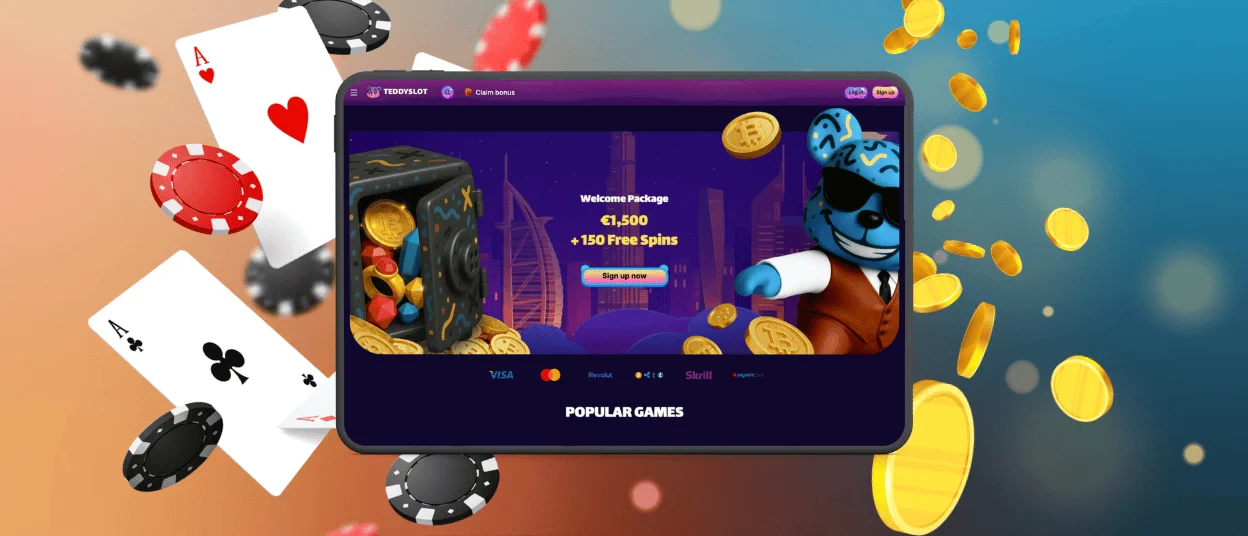
iPhone and iPad Access
To use Teddyslot on iPhone and iPad, open the official website in your main browser and save it to your home screen. After that, you can open the platform directly from the icon and go straight to the lobby.
This setup helps reduce repeated steps and keeps access simple in daily use. You do not need to enter the website via a browser again – the Teddy Slot app opens in a cleaner and more focused view. It also makes navigation, payments, and account actions easier to manage on a smaller screen.

Windows, macOS, and Tablets
On tablets, Teddyslot feels less cramped than on a phone. The larger screen makes it easier to browse categories, open game pages, and move through the lobby with touch controls.
On Windows and macOS, the platform opens in a browser and uses a wider layout. This gives players more room for live games, account management, and general browsing. Teddyslot Casino also keeps one shared account across devices, so players can move between screens without creating a new profile.

Main Strengths of the Mobile Version
Our app is a perfect solution for mobile users. With its help, you can quickly access our game catalog and manage personal data with ease. Here are the main benefits of the mobile version of our casino:
- Faster access to your favorite slots and profile features
- Easier browsing and payment management thanks to touch controls
- Your data is automatically synced across devices
- PWA works offline, so you can check some information in your account even without an internet connection
The Teddy Slot application meets different user habits and styles. While some players like to open the platform for a short session and leave in a few minutes, others tend to browse categories, check offers, or return to games they already know. Teddyslot supports both styles with a layout that stays compact but is still easy to use.
Security and Account Control
Teddyslot Casino keeps mobile access secure and easy to manage. Our advanced data encryption protocols protect your logins and financial transactions, while a standard account verification procedure supports safer withdrawals and account actions.
Additionally, you can safeguard your mobile casino account with the help of 2FA. This security feature provides a sure way to mitigate the risk of unauthorized access to your sensitive information and its misuse.
| Security area | What does the mobile version do? | Why does it help? |
| Secure connection | Protects login and payment data during use | Reduces the risk of exposed account activity |
| Account checks | Supports review of important actions | Helps keep withdrawals and profile changes safer |
| Session control | Keeps core account tools in one clear area | Makes important actions easier to review |
| 2FA | Makes it easy to enter a single-use code upon login | Helps players protect their personal data |
Frequently Asked Questions
Can I use the same account on mobile and desktop?
Teddyslot keeps one account for all supported devices. When you log in on mobile or desktop, you use the same balance, profile settings, and game history, so there is no need to create or manage a second account.
How can I install the Teddyslot app on my smartphone?
You can do so in two simple steps: 1. Open our website in your mobile browser, and 2. Save the casino shortcut to your home screen. After that, the app icon will appear on your screen, giving you a much faster way to open the casino during future visits.
Do I need to install anything from an app store?
The mobile version works directly through the browser, so a separate app store download is not required. A home screen shortcut already gives a similar app-style experience.
How can I make deposits and withdrawals via the app?
Our mobile casino works the same way as the main version of the site. So, to make any financial transaction, you simply need to open the Wallet interface, click the deposit or withdrawal button, choose a payment method, and fill out the payment form.
Does the mobile version support live games?
The mobile layout supports live games and keeps them easy to access from the main lobby. Players can open tables, follow the session, and return to the menu without extra steps.


